Documentation
Installation
- Visit the Chrome Web Store
- Click "Add to Chrome"
- Confirm the installation when prompted
- The AdGrab icon will appear in your Chrome toolbar
Note: AdGrab requires Chrome version 88 or higher.
How to Use
Install Extension
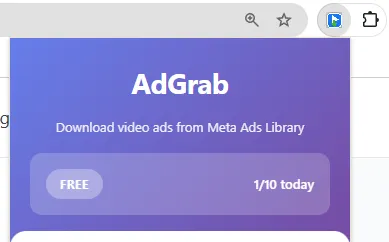
Visit the Chrome Web Store and click "Add to Chrome"
Confirm the installation when prompted. The AdGrab icon will appear in your Chrome toolbar.
Browse Meta Ads Library
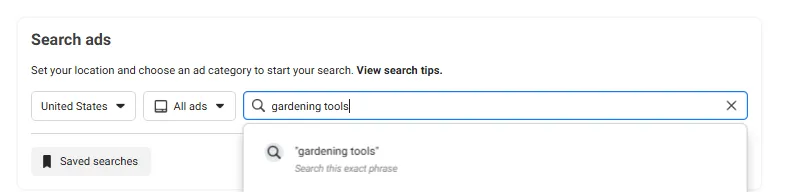
Go to facebook.com/ads/library and search for ads
Browse through search results and look for video ads from any advertiser or campaign.
Click Download Button
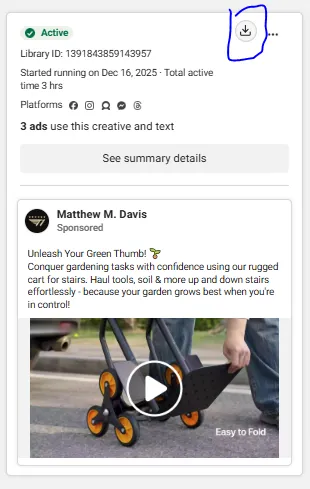
A "Download video" button appears on each video ad - click it to start downloading
The video downloads automatically to your default Chrome downloads folder with the advertiser name and timestamp.
Download Limits
Free Plan: 10 downloads/day
- Resets daily at midnight (your local time)
- Each video download counts as one download
- Limit counter is stored locally in your browser
- When you reach the limit, you'll see a prompt to upgrade
Pro Plan: Unlimited downloads
- No daily limits - download as many videos as you need
- Available as monthly subscription or one-time lifetime purchase
Activating Pro License
Click "I have a license key"
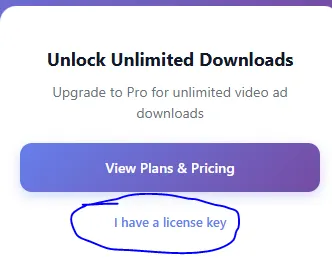
Click the AdGrab icon in your Chrome toolbar, then click "I have a license key"
After purchasing, you'll receive your license key via email. Click the link at the bottom of the popup to enter it.
Enter Key and Activate
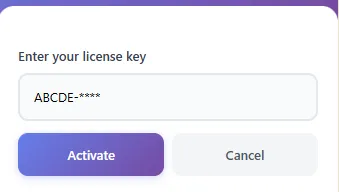
Paste your license key and click "Activate"
Enter the license key from your email and click Activate. Your Pro features will unlock instantly with unlimited downloads.
Common Activation Issues:
- Invalid key error: Make sure you copied the entire key with no extra spaces
- Already activated: Each key works on one device only. Contact support to transfer
- Didn't receive email: Check spam folder or contact support
Troubleshooting
Download button doesn't appear
- Refresh the page - Meta's page structure sometimes loads slowly
- Make sure you're on facebook.com/ads/library (not other Facebook pages)
- Check that the extension is enabled in chrome://extensions
- Try disabling other extensions that might conflict
Download fails or video link expired
- Click the download button again - CDN links can expire
- Try refreshing the page and clicking download again
- Some ads may have region restrictions or be removed by Meta
Extension broke after Meta UI update
- Check the Chrome Web Store for an updated version
- We typically release updates within 24-48 hours of Meta changes
- Contact support if the issue persists
Videos download to wrong folder
- Chrome settings → Downloads → change your download location
- Videos save to your default Chrome downloads folder
Only getting SD quality instead of HD
- AdGrab automatically prefers HD when available
- Some ads only have SD versions available from Meta
- Meta may serve SD based on their CDN optimization
Permissions & Privacy
AdGrab requires the following permissions:
- Access to facebook.com/ads/library: To add download buttons to video ads
- Downloads permission: To save videos to your computer
- Storage permission: To track your daily download limit locally
Privacy guarantee: AdGrab runs entirely in your browser. We don't track your usage, collect analytics, or send any data to external servers. Your downloads and browsing stay private.